PromptReel Lab · Guides
AI ad prompts for jewellery: the hardest product to render (and what works)
Jewellery is where AI image generation falls apart first. Fine chains merge, links melt into each other and pendants change shape between renders. Here's what helped in my tests in ChatGPT image generation.
Why it's hard
Thin, repeating, reflective detail is exactly what diffusion models smooth over. The fixes: one light source, a simple surface, "true-to-life colour", "no extra objects", and start from a real photo of the piece.
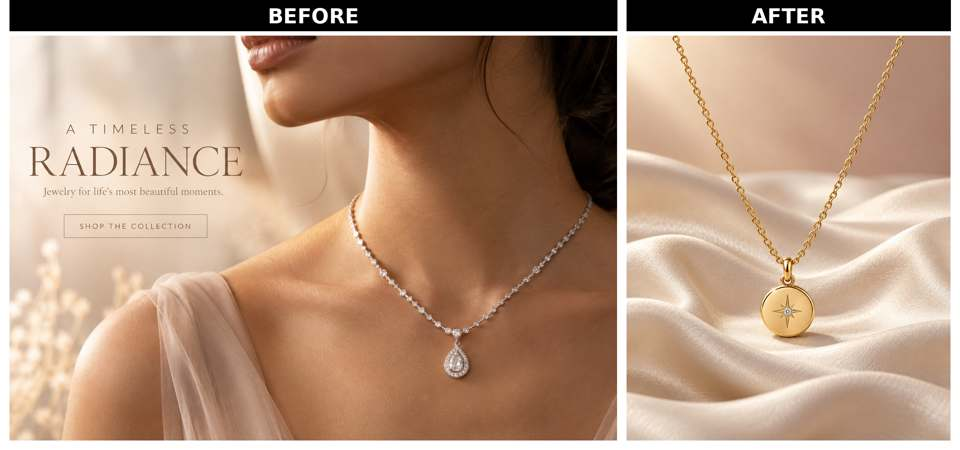
1. Clean packshot
Commercial studio packshot of [a dainty gold-vermeil chain necklace with a small round pendant], centred, on crumpled ivory silk, seamless backdrop in warm gold and blush, large softbox key light from the left, white bounce fill on the right, crisp contact shadow, 85mm lens, f/8, true-to-life colour, no extra objects. Vertical 4:5.
2. Props-styled hero
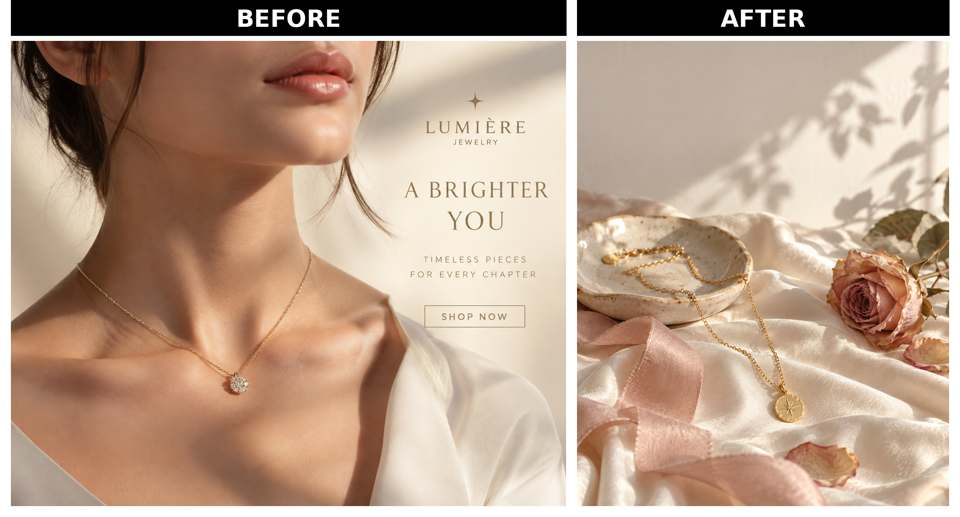
Editorial product still life of [your piece] on crumpled ivory silk, styled with a small ceramic dish, a dried rose and a silk ribbon, morning window light from the right with soft shadows, palette of warm gold and blush, generous negative space in the top third for a headline, realistic textures. Vertical 4:5.
3. Lifestyle
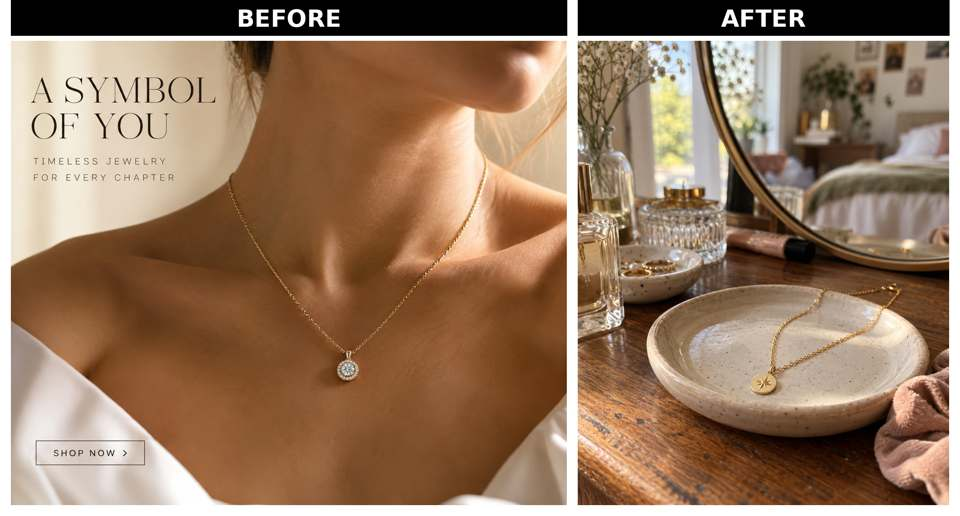
Candid lifestyle photograph of [your piece] on a vanity table with a round mirror, natural daylight, lived-in but tidy, product in sharp focus in the foreground, background softly blurred, 35mm lens, f/2. Vertical 4:5.
Check every render
Count the links, check the clasp, compare the pendant shape with your real piece. If a detail drifts, crop tighter or composite your real product photo.
Try it free: the AI Product Ad Prompt Generator builds a photo-first prompt around your product, no login. The full kit (41 before/after recipes, hooks and scripts, and a 7-day workflow) is PromptReel Lab on Whop.
All example images are AI-generated in ChatGPT image generation from text descriptions of sample products. AI output varies between renders. No sales or performance claims.